
Stage Objectives and Progression
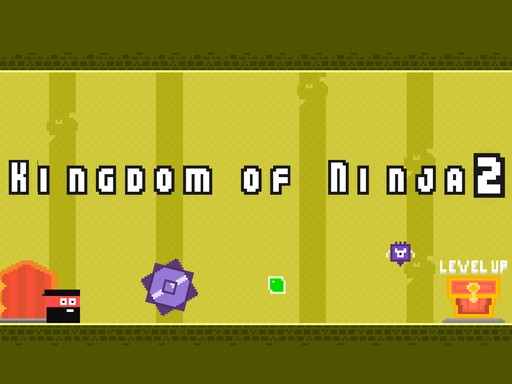
Each stage in Kingdom Quest 2 Arcade Adventure has a single clear goal: reach the chest at the end. Touching it moves you to the next level. The path is blocked by obstacles you must jump over or move around, and roaming creatures that end your attempt if they touch you. Because the chest is the only exit, every decision you make is about finding a safe route through the level's layout. New stages introduce different arrangements of obstacles and creature paths, so the route that worked before will not always work again.
Movement, Timing, and Creature Patterns
You control the character with standard directional inputs, such as arrow keys on a keyboard or touch controls on a mobile device. The creatures follow set patterns that can be learned over time. This turns each level into a timing exercise: you watch a creature's route, wait for the right gap, then move. Rushing usually leads to mistakes, while careful observation lets you plan a safe path. The game rewards patience rather than reflexes alone, which makes it approachable for beginners but still satisfying for players who want a clean run.
Difficulty Curve and Level Design
Difficulty increases gradually as you progress. Early stages give you room to learn the controls and read creature movement. Later stages combine more obstacles and tighter timing windows, requiring you to think before you move. The layouts change enough that you cannot rely on memorizing a single pattern; instead, you adapt your approach each time. This keeps the experience fresh without becoming unpredictable.
Visual Style and Session Length
The kingdom uses colorful environments and simple, cheerful graphics. Sound effects are lighthearted and match the family-friendly design, which contains no violent or inappropriate content. Levels are short enough for quick sessions, but the gradual challenge also supports longer play. You can replay stages to improve your performance and find better routes, which adds replay value without adding pressure.





Comments
0 comments