
Reading Traffic Before You Move
Frog Crossing 3D Arcade Game drops a small frog at the edge of a busy road and asks one question: when is it safe to step forward? Cars, trucks, and other vehicles travel at different speeds and from different directions, so the gap that works for one lane may close before you reach the next. The game rewards observation over reflexes alone. You watch a lane, pick a moment, and commit to a short move. A wrong read costs you the attempt, but the feedback is immediate, which makes the next try feel like a correction rather than a restart.
Controls and Moment-to-Moment Play
Movement uses directional input, typically arrow keys or on-screen buttons. The frog moves forward, backward, left, or right one step at a time. That grid-like control matters because it turns each lane into a separate decision. You are not steering a continuous path; you are choosing discrete positions and waiting for the right window. Because vehicles keep moving while you stand still, patience is a mechanic, not just advice. Rushing usually means stepping into a lane before you have actually read it.
Progression and Rising Pressure
The game starts with a simple street and adds complexity as you progress. Faster vehicles and more lanes to cross shrink the safe gaps and demand quicker judgment. This difficulty curve keeps the premise from going stale: the rules never change, but the traffic does. Players who learn to break a crossing into single-lane decisions tend to handle the harder roads better than those who try to cross everything in one push.
Visual Style and Accessibility
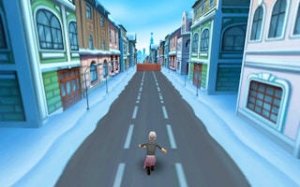
The 3D graphics present a colorful city environment with animated vehicles and street details that make traffic direction readable at a glance. The family-friendly content and simple controls make it approachable for casual players and younger audiences. Successes and failures both give clear feedback, so improvement comes from paying attention rather than memorizing hidden rules. [IMG_1]



Comments
0 comments