
Four Mini-Games, One Shared Screen
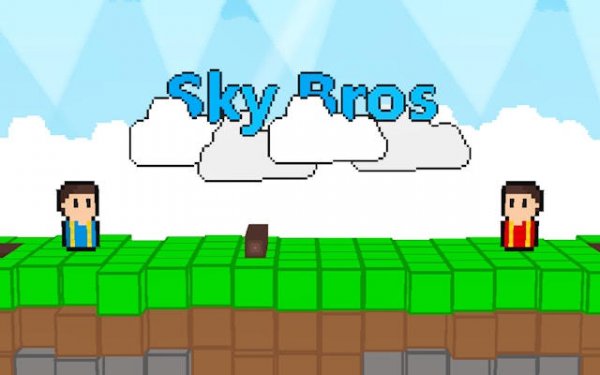
Cloud Companions is built around local two-player sessions on a single screen. Each player controls a character on a floating island, and the game offers a handful of distinct mini-games. Every mode has a simple objective that can be finished in a few minutes, which suits short breaks or a warm-up before a longer gaming evening. Because the controls are straightforward—typically movement and one action button—players of different skill levels can join without feeling left behind.Building and Target Practice
One mini-game asks players to gather falling wooden planks and assemble them into a small house. Coordination matters: players decide who collects materials and who starts the structure. Another mode turns the screen into a target range where players fire soft projectiles at moving or stationary targets. The targets change between rounds, keeping the activity fresh. Both modes reward accuracy and timing, but missing a shot or dropping a plank carries no harsh penalty.Light Competition in the Sky
Two additional mini-games add a gentle competitive edge. In one, players pilot small spacecraft and try to nudge each other off a floating platform. The physics are forgiving, so matches feel playful rather than aggressive. In the other, players race to chop down cartoon trees and carry the logs to a shed. The winner is the one who delivers the most wood within the time limit. These modes add variety without raising the tension too high, preserving the game's overall friendly tone.Pixel Art and Expressive Animation
The pixel art style gives each island and character a nostalgic look. Colors are bright and cheerful, with soft gradients in the sky and clouds. Animations are simple but expressive—characters wobble when bumped and celebrate with a small hop after scoring a point. The visual design supports the game's goal of creating a welcoming space where players can focus on each other rather than on complex graphics or menus.Editorial Notes
Compatibility
💻 Desktop | 📱 Mobile | 📟 Tablet
– All supported · Best with Chrome or Safari






Comments
0 comments