Retro Ping Pong Arcade Game
Review
Retro Ping Pong Arcade Game captures the essence of classic arcade sports with its charming 8-bit visuals and sound. The two-player local gameplay is responsive and addictive, with increasing ball speed keeping matches intense. The minimalist design ensures anyone can pick up and play, making it ideal for casual gaming sessions. While lacking online multiplayer, the local focus encourages friendly competition. A solid choice for nostalgia seekers and quick entertainment.
About This Game
Game Introduction
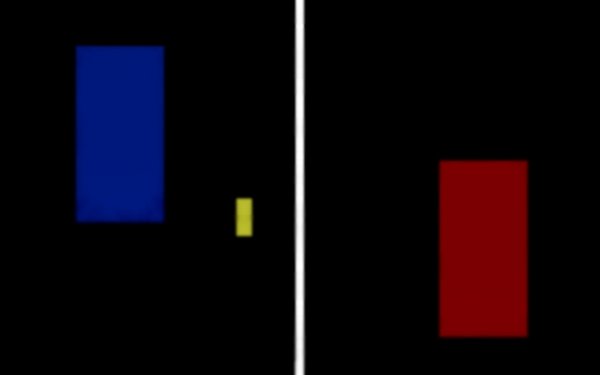
Retro Ping Pong Arcade Game is a free online arcade experience that recreates the competitive spirit of early video games. This digital table tennis simulator is designed for two players to engage in fast-paced, pixel-perfect matches. Whether you want a nostalgic trip or a simple fun challenge with a friend, this game delivers pure arcade action directly in your browser. The vibrant pixel art and classic 8-bit sound effects create an authentic vintage feel, making every rally exciting and unpredictable. It is a perfect blend of nostalgia and competitive fun for all ages.
How to Play
The objective is straightforward: outscore your opponent by bouncing the pixel ball past their paddle. Each player controls a vertical paddle on either side of the screen. Use the W and S keys or arrow keys to move your paddle up and down, deflecting the ball back to the other side. The ball increases speed as the rally continues, demanding sharper reflexes and anticipation. Score a point when your opponent misses a return. The first player to reach the set point goal wins the match. The minimalist design keeps the focus on skill, reaction time, and friendly competition.
Game Features
Authentic retro aesthetics with pixel art and 8-bit sound effects. Intuitive controls that are easy to learn. Fast-paced two-player gameplay that encourages quick thinking. Simple scoring system for clear goals. No downloads or installations required, play directly in the browser.
Tips for Success
To improve your performance, practice anticipating the ball's trajectory as it speeds up. Stay centered on the screen to react quickly to both high and low returns. Communicate with your opponent to keep the match friendly and fun. Focus on consistent returns rather than risky shots, and gradually adjust to the increasing pace. Regular practice will sharpen your reflexes and timing.














































💬 Comments
0 comments